AI Workflow Automation
AI Workflow Automation for Small and Growing Businesses
Connect the applications your team already uses, remove repetitive steps, and add carefully controlled AI where interpretation creates real value.
AUTOMATE THE ROUTINE.
Keep people in charge of exceptions, judgment, and important decisions.
Choose the right level
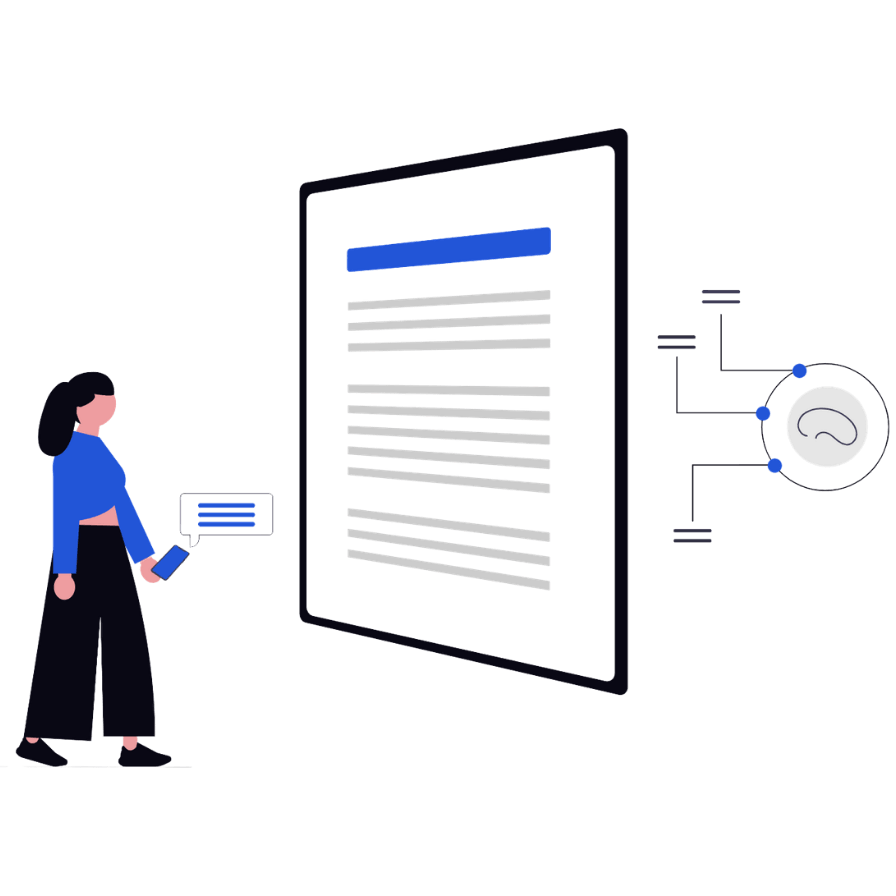
Not every workflow needs AI. Not every AI workflow needs an agent.
Reliable automation begins by matching the technology to the work. Use deterministic rules wherever they solve the problem cleanly, then add AI only to the steps that require interpretation.
Predictable
Rule-based automation
When this happens, complete these defined actions.
Best for repeatable work with clear triggers, structured information, and known outcomes—such as notifications, approvals, record creation, and data synchronization.
INTERPRETIVE
AI-assisted workflow
Read, classify, extract, draft, or summarize inside the process.
Best when one step involves unstructured information but the overall workflow still benefits from defined rules, validation, and human review.
ADAPTIVE
AI agent
Choose among approved tools to pursue a limited goal.
Best for bounded work that requires context and flexible reasoning. Agents need stronger permissions, testing, monitoring, and limits than a standard automation.
Where opportunity begins
Look for work that repeats, waits, or falls between systems.
The best first automation is usually not the flashiest one. It is a frequent, frustrating process with a clear owner and a result the business can measure.
The same information gets entered twice
Move information between approved systems automatically instead of asking employees to copy the same customer, project, lead, or transaction details from one application to another.
Work waits inside an inbox
Turn incoming emails or requests into structured work by identifying the topic, gathering context, creating the next task, and routing it to the right person.
Follow-up depends on memory
Create reminders, tasks, notifications, and escalation steps so important follow-up happens because the process requires it—not because someone remembered.
The systems do not share context
Connect information across your CRM, Microsoft 365, ticketing, accounting, forms, databases, and other business applications so employees spend less time searching for what they need.
Practical automation examples
Improve the handoffs around the work—not just the task itself.
A useful workflow connects the request, context, next action, owner, and follow-up. These examples are starting points; the actual design should match your systems and operating rules.
Sales & Marketing
Move a new lead from inquiry to prepared follow-up.
Capture the inquiry, create or update the CRM record, notify the right salesperson, summarize the request, prepare the next follow-up task, and help make sure the lead does not disappear between systems.
Forms → CRM → Email
Customer Service
Classify incoming requests and route them sooner.
Identify the topic and urgency, retrieve relevant context, create a ticket, and alert the right person.
Inbox → AI triage → Ticketing
Operations
Turn recurring updates into a usable status report.
Collect information from approved sources, flag missing items, summarize changes, and distribute a consistent report.
Collect → Check → Report
Finance & Documents
Extract information and send exceptions for review.
Read routine documents, capture selected fields, compare against business rules, and escalate unclear or sensitive cases.
Document → Extract → Approve
HR & Onboarding
Coordinate repeatable employee setup steps.
Trigger tasks, gather required information, request approvals, create reminders, and track completion across teams.
Request → Assign → Track
Internal IT
Improve request intake and routine support work.
Gather context, categorize requests, suggest approved knowledge, create records, and keep a technician in control.
Intake → Context → Escalate
Common AI Workflow Automation Opportunities
The right automation depends on how your business already works, but many good opportunities start with processes that are repetitive, manual, delayed, or spread across multiple applications.
Customer Service & Delivery
• Email triage and ticket creation
• Customer onboarding
• Customer-service escalation
People & Internal Operations
• Employee onboarding and offboarding
• Approval workflows
• Internal request routing
Finance & Document Processing
• Document intake and data extraction
• Invoice and accounting handoffs
Reporting & Connected Data
• Recurring management reports
• Data synchronization between applications
Workplace Productivity & AI
• Microsoft 365 workflows
• AI-assisted summarization and drafting
Sales & CRM
• Website lead intake and CRM follow-up
• CRM updates and reminders
Inside a reliable workflow
How Reliable AI Workflow Automation Handles Exceptions
The visible “AI step” may be small. Reliability comes from the surrounding design: clean inputs, permissions, rules, approval, error handling, ownership, and a record of what happened.
TRIGGER
Work arrives
Email, form, event, schedule, or application change.
PREPARE
Context is gathered
Validate inputs and retrieve only the information needed.
AI STEP
Content is interpreted
Classify, extract, summarize, draft, or match.
CONTROL
Rules check the result
Apply limits, confidence thresholds, and business logic.
REVIEW
A person decides when needed
Approve, correct, reject, or route an exception.
ACT & LOG
Systems update
Complete approved actions and record the outcome.
Human-in-the-loop design
A good automation knows when to stop.
Human review is not a failure of automation. It is a designed control for moments where uncertainty, sensitivity, impact, or an unexpected condition makes judgment more valuable than speed.
Review Gate
Route to a person when:
The result is uncertain.
Confidence is below the threshold or required context is missing.
The decision has meaningful impact.
It affects a customer, employee, payment, commitment, or official record.
The information is sensitive.
Privacy, regulated data, legal material, or elevated access is involved.
The process behaves unexpectedly.
An application fails, an input changes, or an exception was not designed.
The implementation process
Hand off, monitor, and improve
Train the process owners, document support paths, monitor failures and exceptions, compare results to the original baseline, and refine the workflow as the business changes.
Current-state workflow map
Map the real process
Document the trigger, people, applications, decisions, exceptions, sensitive information, and current baseline.
Future-state solution design
Design the controlled flow
Choose what should stay manual, what can follow rules, where AI helps, and where approval must remain.
Working pilot automation
Build the smallest useful version
Connect approved systems and implement a focused workflow that can prove value without automating everything at once.
Test results and launch criteria
Test normal work and exceptions
Validate permissions, representative inputs, unexpected formats, application failures, duplicate runs, notifications, approval steps, and fallback paths before putting the automation into production.
Handoff and optimization plan
Launch, measure, and improve
Train owners, monitor the workflow, compare results to the baseline, and refine the process as the business changes.
How NCP helps
Our AI Workflow Automation Process
Workflow automation does not operate in isolation. It depends on identities, Microsoft 365, application permissions, APIs, data access, security, licensing, employee workflows, and ongoing support.
Because Network Computer Pros already works across those systems, we can design automation around the technology environment your business actually uses instead of treating the workflow as a separate software project.
Workflow discovery & process mapping
Document the current process, bottlenecks, handoffs, exceptions, data sources, applications, ownership, and measurable opportunities for improvement.
Automation architecture
Define triggers, actions, AI steps, permissions, approval points, fallback paths, ownership, and the business result the workflow should achieve.
Workflow implementation
Connect approved applications and build a focused automation using the platforms that best fit the existing environment.
Testing & safeguards
Test representative inputs, exceptions, permissions, duplicate runs, failures, human review steps, and launch criteria before production use.
Documentation & employee guidance
Document how the workflow operates, who owns it, what employees need to know, and how problems should be reported or escalated.
Monitoring & optimization
Review failures, exceptions, time saved, adoption, costs, and opportunities to improve or expand the workflow over time.
Platforms & integrations
AI Workflow Automation Tools and Integrations
The right platform depends on your current applications, Microsoft environment, data, security needs, process complexity, ownership, licensing, and support model.
Microsoft Automation
- Microsoft Power Automate
- Microsoft Copilot Studio
- Teams, Outlook & SharePoint
Cross-App Automation
- Zapier
- Make
- n8n
AI & Knowledge
- Microsoft 365 Copilot
- ChatGPT Business & Enterprise
- Approved models and knowledge sources
Your Business Systems
- CRM & ticketing platforms
- QuickBooks & document systems
- Forms, databases & APIs
Product capabilities, connectors, licensing, and AI features change over time. We confirm current fit and availability before designing the solution around a platform.
Measure the outcome
Measuring AI Workflow Automation Results
“It ran” is not the business result. Define a baseline before launch and track a small set of measures that show whether the workflow saves time, improves consistency, or creates a better experience.
COMPARE BEFORE / AFTER
Time saved
Manual minutes removed per run
Cycle time
Request received to work completed
Response time
Customer or employee wait time
Error & rework
Corrections, duplicates, and missed steps
Exceptions
Cases routed for human attention
Adoption
People and processes using the new path
Connected AI services
Need to plan or protect the work before automating it?
PLAN IT
AI Consulting & Strategy
Choose the right use case and define a practical adoption roadmap.
PROTECT IT
AI Security & Governance
Define approved tools, access, data safeguards, review, and accountability.
Workflow automation FAQs
Practical answers before you automate.
Good automation starts with the process, the business result, and the controls around it. The technology comes after those decisions are clear.